
Here is how to send welcome message to new followers on Instagram automatically, use a third-party tool like ManyChat, which offers a “Follow to DM” feature:
- Log into ManyChat and connect your Instagram Business account
- Go to Automation > “Say Hi to New Followers”
- Set a smart delay (1–5 mins)
- Create welcome message + CTA button
- Add follow-up message with links or offers
- Activate your flow and go live
How to Send Welcome Messages to New Followers on Instagram
(Step-by-Step Using ManyChat)
If you’re wondering how to instantly greet your new Instagram followers without manually checking your DMs…
The answer is simple: automation.
Instagram no longer offers a native welcome message feature…
But ManyChat fills that gap with a powerful Follow-to-DM trigger.
It lets you automatically send direct messages when someone follows your business account.
Here’s how to set it up in under 10 minutes:
1. Connect your Instagram Business Account
Create a free ManyChat account and connect your Instagram Business profile.
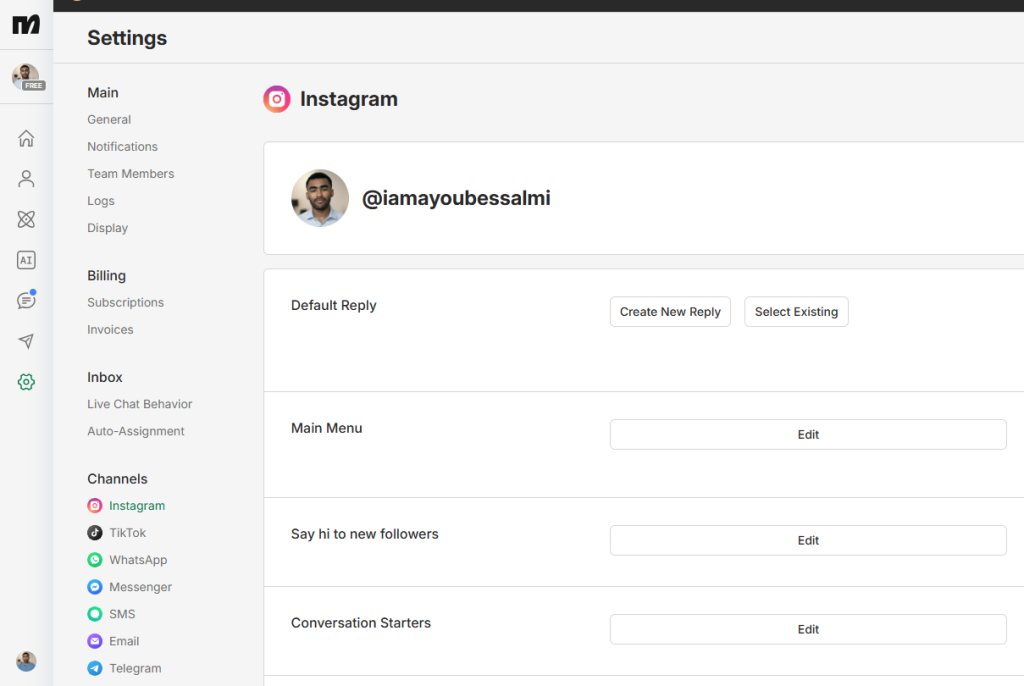
You’ll need to grant permission to access messages and automation.
2. Use the “Follow-to-DM” Trigger in ManyChat
Inside ManyChat, go to Automation > Instagram Triggers and select “New Follower.
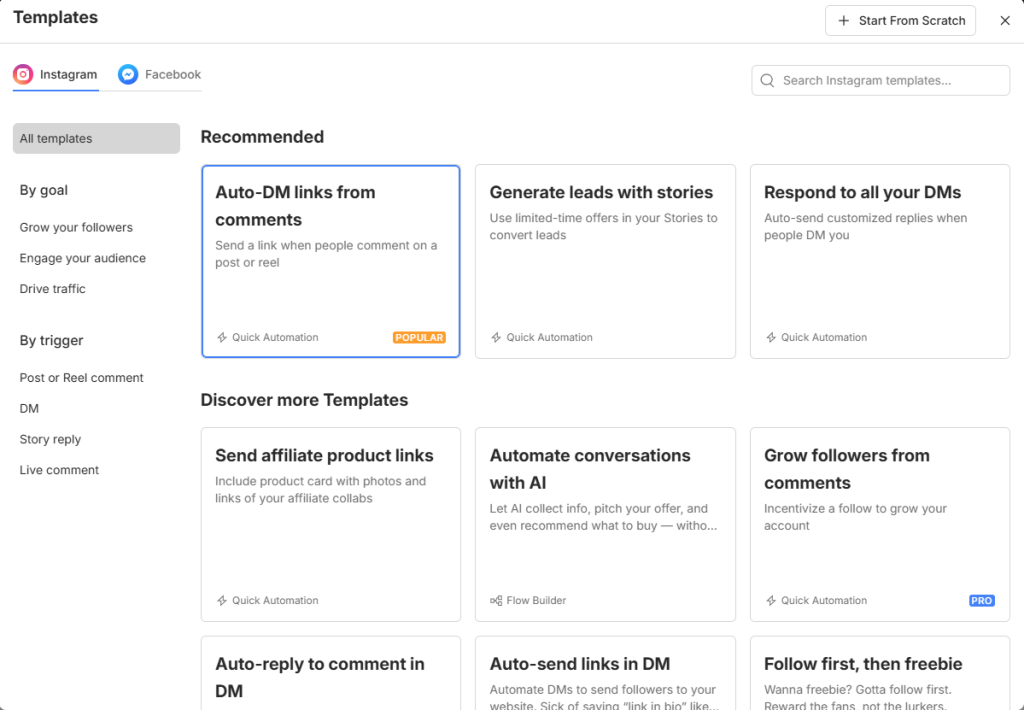
” This is the Follow-to-DM feature.
3. Set a Smart Delay (1–5 Minutes)
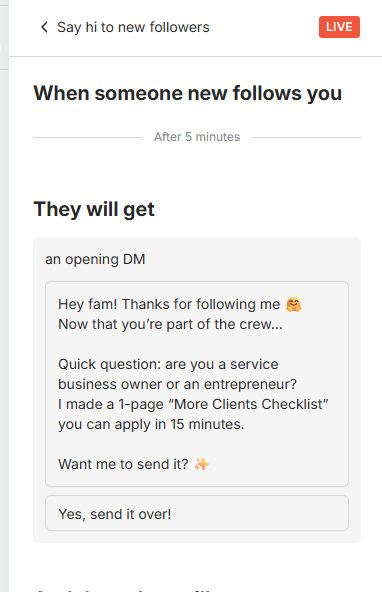
Don’t make your automation feel robotic.
Add a short delay so the welcome DM feels natural, as if you typed it yourself.
4. Write a Warm Welcome Message
Start with a friendly greeting like:
“Hey [First Name], thanks for following! I’m excited to have you here.”
5. Add a Call-to-Action Button
Prompt them with a clear next step, like:
[Get My Free Resource] or [See My Best Tips]
The button will lead to your next message or a link (e.g., freebie, blog, or product page).
6. Customize the Follow-Up Message
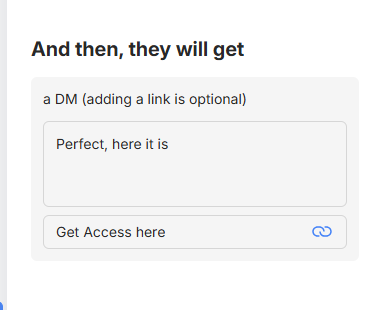
After they click your button, continue the conversation with value. Share:
- A top-performing reel
- A free guide
- A discount code
- A link to your community
7. Hit “Publish” and Go Live
Turn the automation on, and from now on, every new follower will receive your welcome DM — instantly and hands-free.
Want a DM template that gets replies? Grab my free copy below.
What to Say in Your Welcome DM (Template Breakdown)
The goal of your welcome message isn’t just to say hi — it’s to start a conversation, deliver value, and guide new followers to your best content or offer.
Here’s how to structure your welcome DM sequence inside ManyChat:
Message 1: Greet + Thank Them by Name
Start simple and personal. Use the follower’s first name to build immediate rapport. For example:
“Hey [First Name]! Thanks so much for following me here — I’m glad you’re part of the community!”
CTA: Invite Them to Take Action
Give them a quick win. This could be a freebie, giveaway, or invite to your private group. For example:
“I just put together a quick guide to [your niche topic] — want me to send it to you?”
Include a button:
→ “Yes, Send It!”
Message 2: Follow Up With Value
Once they click the button, follow up with your best content.
This message should link to something valuable, like a:
- Free guide or checklist
- Top-performing blog post or video
- Discount code
- Community invite
Example:
“Here’s the guide I promised: [link]
It’s helped 100+ people avoid the biggest mistakes in [niche]. Hope it helps you too!”
Bonus: Ask a Simple Question
End with an easy, open-ended question to spark replies.
This boosts engagement and gives the algorithm a signal that people enjoy your content.
For example:
“By the way… What’s your biggest challenge with [your topic] right now?”
This not only triggers replies but also gives you valuable insight into your audience.
Download My High-Response Instagram DM Template (Free)
Want to skip the guesswork?
This is the exact DM script I use that consistently gets:
- Over 45% open rate
- More than 20% reply rate
- Higher click-through to my free guide and offers
It’s short, warm, and works especially well for:
- Coaches who want to guide new leads into a free call
- Creators growing a community or newsletter
- Service businesses sending clients to book or learn more
It’s built inside ManyChat, so you can copy and paste it directly into your automation flow — no tech headaches.
Grab the Free Template Now
Just enter your email below and I’ll send you:
- The full DM script
- Setup instructions for ManyChat
- Bonus: Tips to increase reply rates
Once you sign up, you’ll be redirected to get started with ManyChat — the tool I personally use and recommend.
Final Thoughts — Turn New Followers Into True Fans
Most people get new followers… and never message them.
That’s a missed opportunity.
Instead, start the conversation automatically — while they’re still warm.
A simple welcome DM can:
- Build instant connection
- Share your best content
- Convert followers into loyal fans or customers
Use a tool like ManyChat to make it effortless.
Small DM → Big community.
